Meteor Client mod
MODScreenshots
Meteor Client: The Ultimate Utility Mod for Minecraft
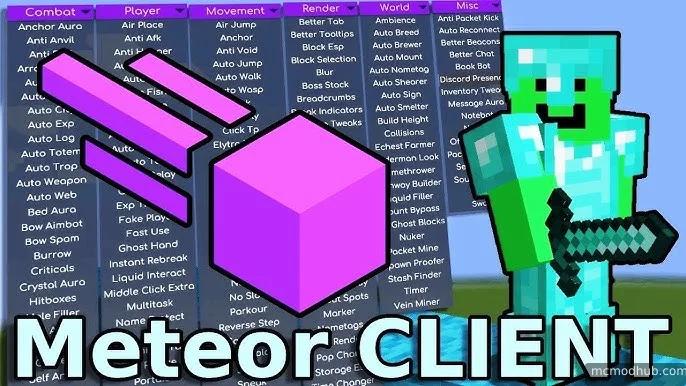
Meteor Client is a powerful, open-source utility mod designed for modern versions of Minecraft. Unlike traditional mods that focus on adding new blocks or items, Meteor is a client-side engine that enhances your gameplay through advanced automation, visual enhancements, and technical tools.
Key Features
Advanced Combat: Highly customizable tools for PvP, including automated crystal placement, reach adjustments, and aim assistance.
Powerful Visuals: Enhance your world with X-ray, Search (to find specific blocks), and Waypoints to never lose your base again.
Automation & Movement: Includes features like Baritone integration for automated pathfinding, Elytra fly enhancements, and auto-fishing.
Clean UI/UX: A modern ClickGUI that is easy to navigate, allowing you to toggle and configure modules on the fly.
Active Development: Frequently updated to support the latest Minecraft versions (via the Fabric Loader).
Technical Specifications
| Requirement | Specification |
| Minecraft Version | Latest Stable (e.g., 1.20.x, 1.21.x) |
| Mod Loader | Fabric |
| Environment | Client-side only |
| Configuration | In-game GUI (Default: Right Shift) |
How to Install
Install Fabric: Download and install the Fabric Loader for your specific Minecraft version.
Add Fabric API: Place the
fabric-api.jarinto your.minecraft/modsfolder.Download Meteor: Get the latest
.jarfile from the official website or development builds.Launch: Move the Meteor Client file into your
modsfolder and start the game using the Fabric profile.
Download & Resources
Important Note: Always ensure you are playing on servers that allow utility mods. Using these features on competitive or "vanilla" survival servers may result in a ban.